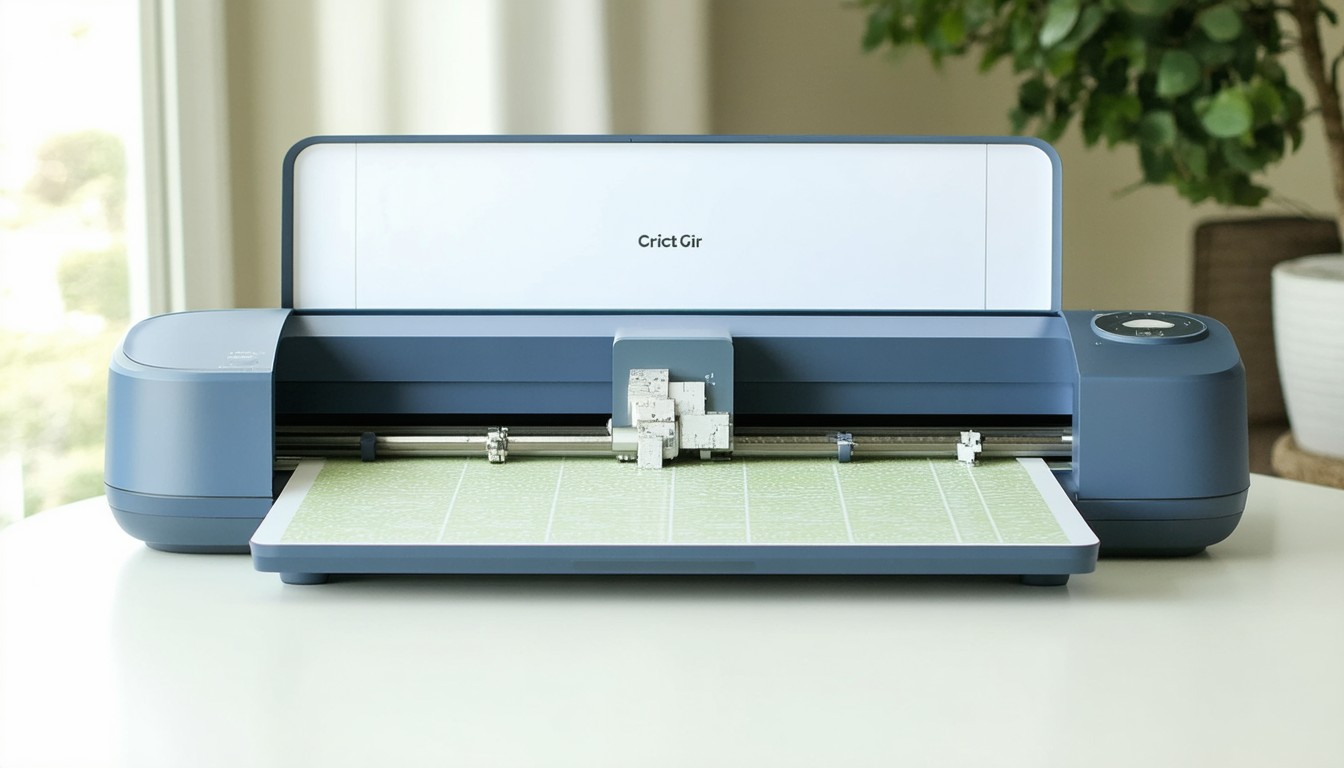
As the wave of DIY crafting sweeps across the globe, tools like the Cricut Explore Air 2 have revolutionized what’s possible for both hobbyists and entrepreneurs. From personalized birthday cards to custom apparel, the machine’s versatility empowers creators to bring their ideas to life faster and with professional quality. In a market where customization is king and consumers crave unique, meaningful design, the Cricut Explore Air 2 stands out as a must-have for serious crafters.
Core Features of the Cricut Explore Air 2
The Cricut Explore Air 2 is well-regarded for its blend of power, precision, and approachability. At its heart, it’s an electronic cutting machine capable of slicing through a wide variety of materials—think cardstock, vinyl, iron-on, and even faux leather.
Dual Cutting Speeds for Improved Productivity
One of the flagship features is its “Fast Mode,” which allows users to cut and write up to two times faster than previous models, especially when working with simple designs and common materials. For those running a home craft business or prepping last-minute gifts, this speed advantage translates directly into efficiency.
Broad Material Compatibility
The machine is compatible with over 100 materials, such as:
- Vinyl (standard and heat transfer)
- Cardboard and cardstock
- Adhesive foil
- Light fabrics (for iron-on projects)
- Specialty papers (vellum, glitter paper, etc.)
This flexibility opens doors for all project types, from school assignments to advanced home décor.
Bluetooth Wireless Technology
With built-in Bluetooth, the Explore Air 2 allows for seamless wireless cutting. Users can send designs straight from a laptop, tablet, or smartphone. This wireless capability eliminates cable clutter and streamlines workflow, making it easier to set up in almost any home environment.
Double Tool Holder
Another innovation is its double tool holder, which enables the machine to cut and write or score in one step without manual tool changes. This means greater accuracy and less interruption during complex projects.
“The Cricut Explore Air 2 brings professional-level craft capabilities to the average household. Its ease of use, coupled with impressive versatility, has turned it into an indispensable tool for the DIY community,” says Nicole Davis, owner of a popular Etsy stationery shop.
Key Benefits That Set the Explore Air 2 Apart
While many cutting machines exist, the Explore Air 2 distinguishes itself with a combination of smart features and user-oriented design. These attributes help both novices and seasoned crafters elevate their work.
Accessibility for Beginners
Cricut’s software, Design Space, is intuitive and cloud-based, offering a gentle learning curve even for tech-averse users. There are countless free tutorials, community support forums, and ready-to-use project templates, making the barrier to entry lower than ever.
Consistent Precision and Reliability
Whether trimming intricate lace paper patterns or monogramming tote bags, the Explore Air 2 delivers sharp, consistent cuts. The machine’s precise blade technology and motor control mean fewer errors and less wasted material—crucial for those making items in quantity or selling finished products.
Expanding Creative Potential
This device isn’t limited to cutting. With the right attachments, it can draw, score, and even emboss and engrave (when using compatible pens and tools). The project catalog in Design Space is extensive, and users regularly share new templates and hacks, keeping the device relevant and exciting for years after purchase.
Supporting Home-Based Businesses
The COVID-19 pandemic accelerated the growth of home-based “side hustles,” particularly in crafting. Many Cricut Explore Air 2 owners report using their machines to start or expand ventures on platforms like Etsy and Shopify, making everything from custom mugs to elaborate party décor.
Getting Started: User Guide Essentials
Transitioning from box to your first completed project with the Cricut Explore Air 2 is designed to be as smooth as possible. For best results, new users should follow a few key steps:
1. Unboxing and Setup
Inside the box, expect to find the Explore Air 2, power and USB cables, cutting mats, a fine-point blade (pre-installed), and a black pen. After plugging in the device, users are prompted to connect via Bluetooth or USB and download Cricut Design Space.
2. Navigating Design Space
Design Space is Cricut’s primary software interface. Newcomers should start by exploring:
- The project library, which houses thousands of templates
- Tutorials for importing SVG files for custom designs
- Step-by-step wizards that guide users through their first “test cut”
3. Material Preparation and Loading
Selecting the appropriate material setting is critical. The Smart Set Dial on the Explore Air 2 allows users to match their material quickly, preventing errors such as tearing or incomplete cuts. Always align materials firmly on the cutting mat and confirm the correct blade and tool are installed.
4. Maintenance and Troubleshooting
Regular cleaning of the blade housing and mats ensures long-term accuracy. Cricut offers plenty of online resources and customer support for troubleshooting common glitches, like mat alignment or wireless connectivity issues.
Real-World Success Stories and Use Cases
Beyond product specs, the Cricut Explore Air 2’s value is evident in its wide adoption among creative communities and businesses. Consider these scenarios:
- Teachers: Custom classroom labels, bulletin board displays, educational games.
- Wedding Planners: Intricate invitations, seating charts, custom vinyl décor.
- Etsy Sellers: Branded packaging, multiple monogrammed items, niche gift sets.
- Parents: Personalized kids’ clothing, birthday banners, school projects.
The device’s ability to help users monetize their creativity is one reason it remains a recurring recommendation in social media groups and entrepreneur circles.
Comparing the Explore Air 2 to Other Cricut Machines
Cricut offers an evolving lineup, each tailored to different user needs. The Explore Air 2 occupies a unique middle ground:
- Versus Cricut Maker: The Maker series offers deeper cuts and supports more materials (e.g., wood, fabric with a rotary blade) but comes at a higher price.
- Versus Cricut Joy: The Joy is smaller and ultra-portable, ideal for simple projects but lacking the material capacity and speed of the Explore Air 2.
For most users focused on paper crafts, vinyl, and light-duty fabric projects, the Explore Air 2 hits a sweet spot in price, features, and ease of use.
The Community and Ongoing Support
One of the most powerful aspects of owning a Cricut Explore Air 2 is access to a vibrant, engaged community. Social media groups, YouTube channels, and official forums are teeming with shared project ideas, troubleshooting advice, and inspiration. Cricut’s regular software updates and abundant online content help the device age well, staying relevant even as design trends shift.
Conclusion: Should You Invest in the Cricut Explore Air 2?
For serious hobbyists, small business owners, educators, and anyone looking to unlock new realms of creativity, the Cricut Explore Air 2 remains a top choice. It offers the right balance of usability, performance, and affordability. With powerful features accessible to beginners and deep customization for experts, its impact on the crafting world is both tangible and enduring. New users should take advantage of community resources and start small, scaling up as they explore the machine’s capabilities.
FAQs
How difficult is it to learn the Cricut Explore Air 2 for beginners?
Most people find the Cricut Explore Air 2 relatively easy to learn, thanks to user-friendly software and an abundance of online tutorials. Many users complete their first project within hours of setup.
What materials can the Explore Air 2 cut?
The Explore Air 2 can cut over 100 materials, including vinyl, cardstock, fabric for iron-ons, and specialty papers. It is not designed for very thick materials like wood or dense leather.
Do I need to be online to use the machine?
Cricut Design Space is cloud-based and works best with an internet connection, but there are limited offline capabilities for some features. Downloading projects in advance is recommended for offline use.
Can I use my own images or designs?
Yes, users can upload custom images and vector files (such as SVGs) to create personalized projects. This flexibility is highly valued by advanced users and business owners alike.
Is the Explore Air 2 suitable for business use?
Many small businesses and Etsy sellers use the Explore Air 2 to produce consistent, high-quality products in small batches. It is ideal for home-based entrepreneurship, particularly for customized paper, vinyl, and light fabric items.
What differentiates the Explore Air 2 from the Cricut Maker?
The Maker series can cut thicker materials and offers more cutting tool options, but it is more expensive. The Explore Air 2 provides ample features for most crafting needs at a more accessible price point.